
How to Scrape Every Video From a TikTok Profile: TikTok Profile Videos API Tutorial
TikTok Profile Videos API takes TikTok usernames, profile URLs or user IDs and returns the recent videos of each account as rows: caption, views, likes, comments, shares, saves, music, hashtags and a direct video URL without watermark. You don’t need a TikTok account or proxies.
For this tutorial I ran it on three profiles (nike, espn and https://www.tiktok.com/@natgeo) with 20 videos each. It returned 60 videos in 8 seconds for $0.021. The whole flow in under two minutes:
Below are the same steps with a screenshot for each.
What you can scrape
| Input | Example | What you get |
|---|---|---|
| Username | nike |
The latest videos of the account |
| Profile URL | https://www.tiktok.com/@natgeo |
Same, from a link you copied |
| User ID | 6714563164218679553 |
Same, when you only have the numeric ID |
You can mix all three in one run. Each video row has desc, create_time, statistics (plays, likes, comments, shares, saves), author, music, hashtags, share_url and the video play addresses.
Step 1: Open the Actor and click “Try for free”
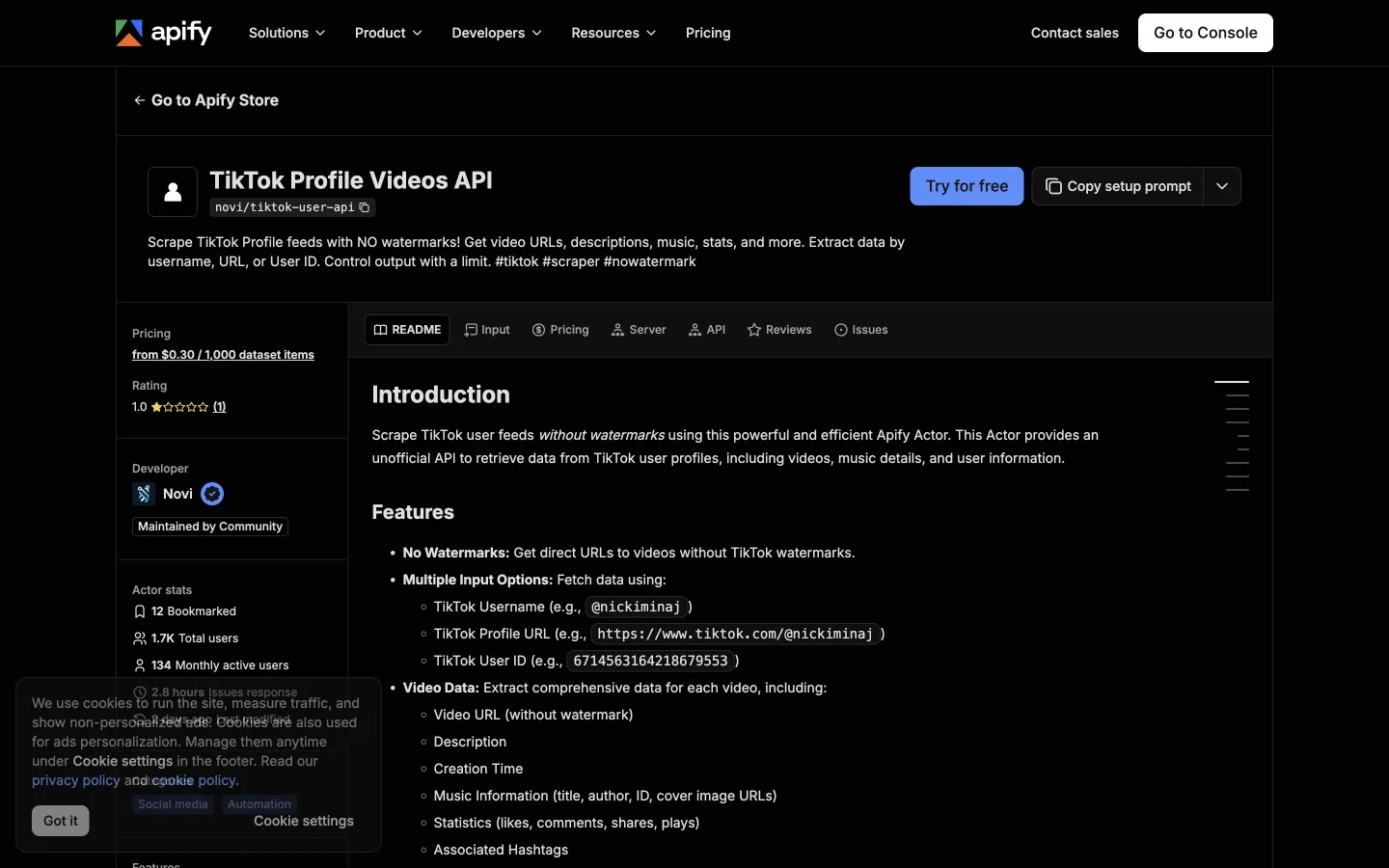
Go to the Actor page on Apify and click Try for free. If you don’t have an account yet, sign up first. The free plan comes with $5 of monthly credit.
Step 2: Add usernames
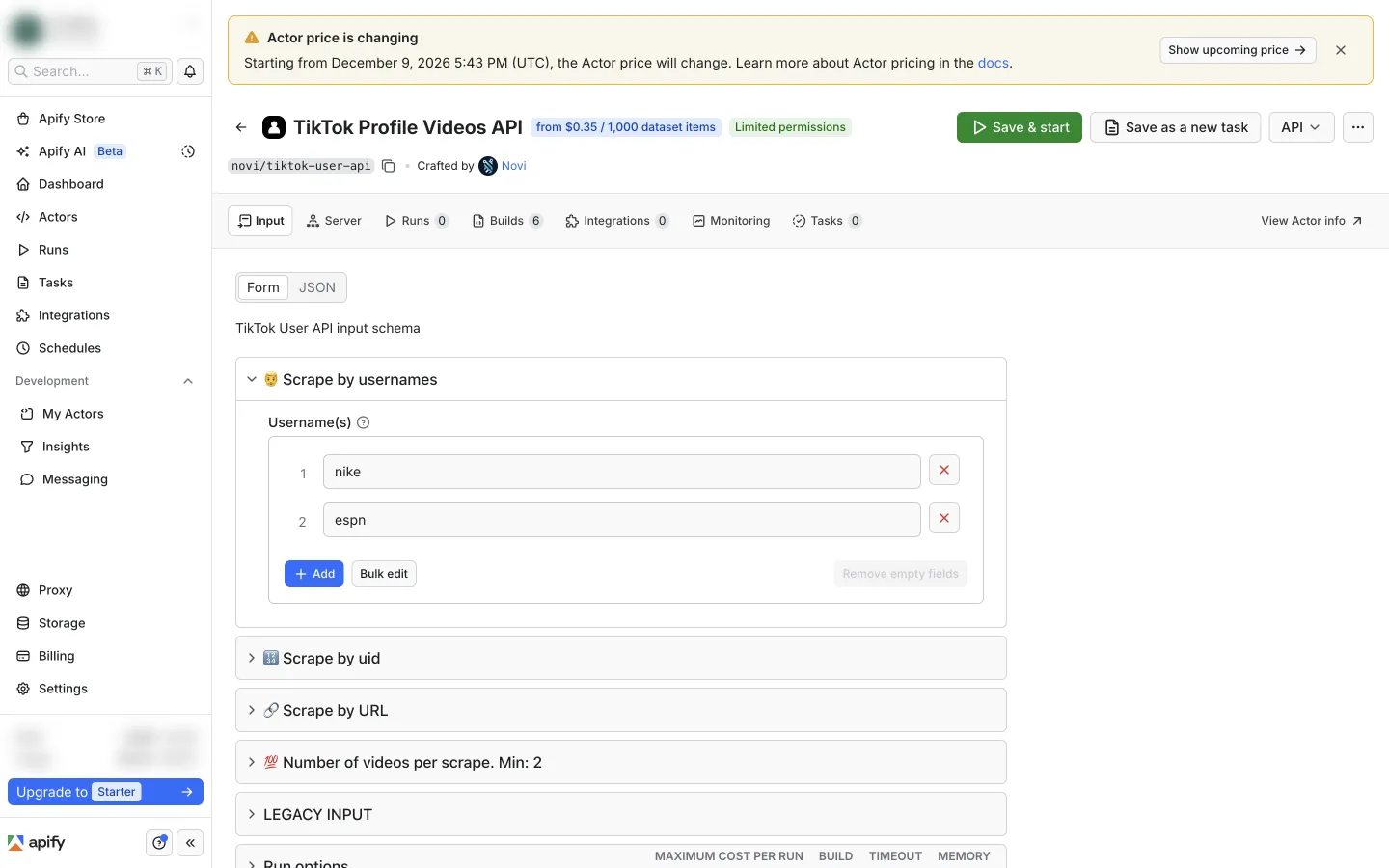
In Scrape by usernames, add one username per line, without the @. To paste a long list, click Bulk edit, paste one username per line and click Set.
Step 3: Or paste profile links and set the limit
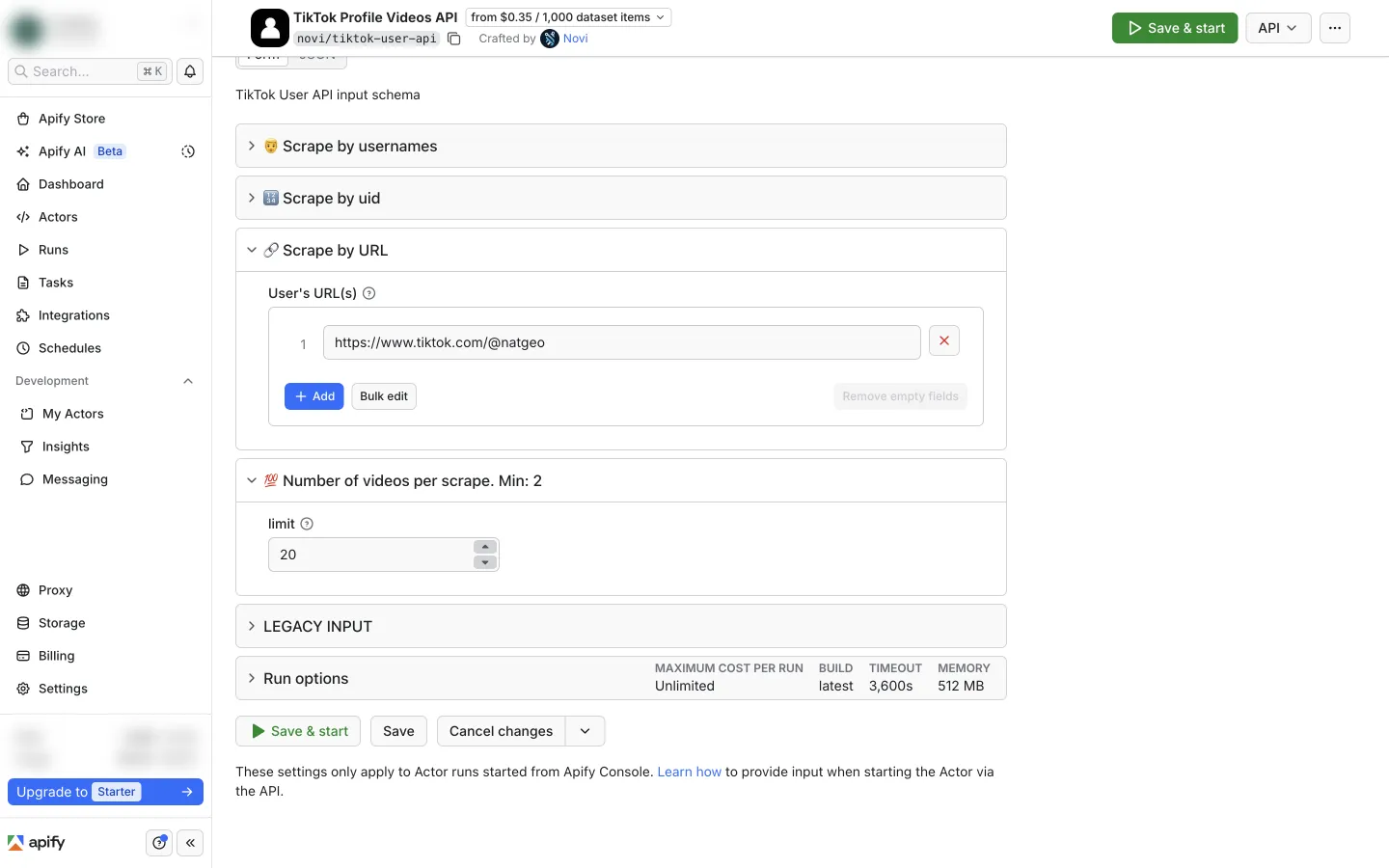
If you have links instead of names, open Scrape by URL and paste them there. Scrape by uid takes numeric user IDs.
Then set limit under Number of videos per scrape. It applies to each profile separately (minimum 2), so 3 profiles with limit: 20 gives you up to 60 videos.
The same input as JSON (switch the form to the JSON tab to paste it):
{
  "usernames": ["nike", "espn"],
  "urls": ["https://www.tiktok.com/@natgeo"],
  "limit": 20
}
Step 4: Run it and check the results
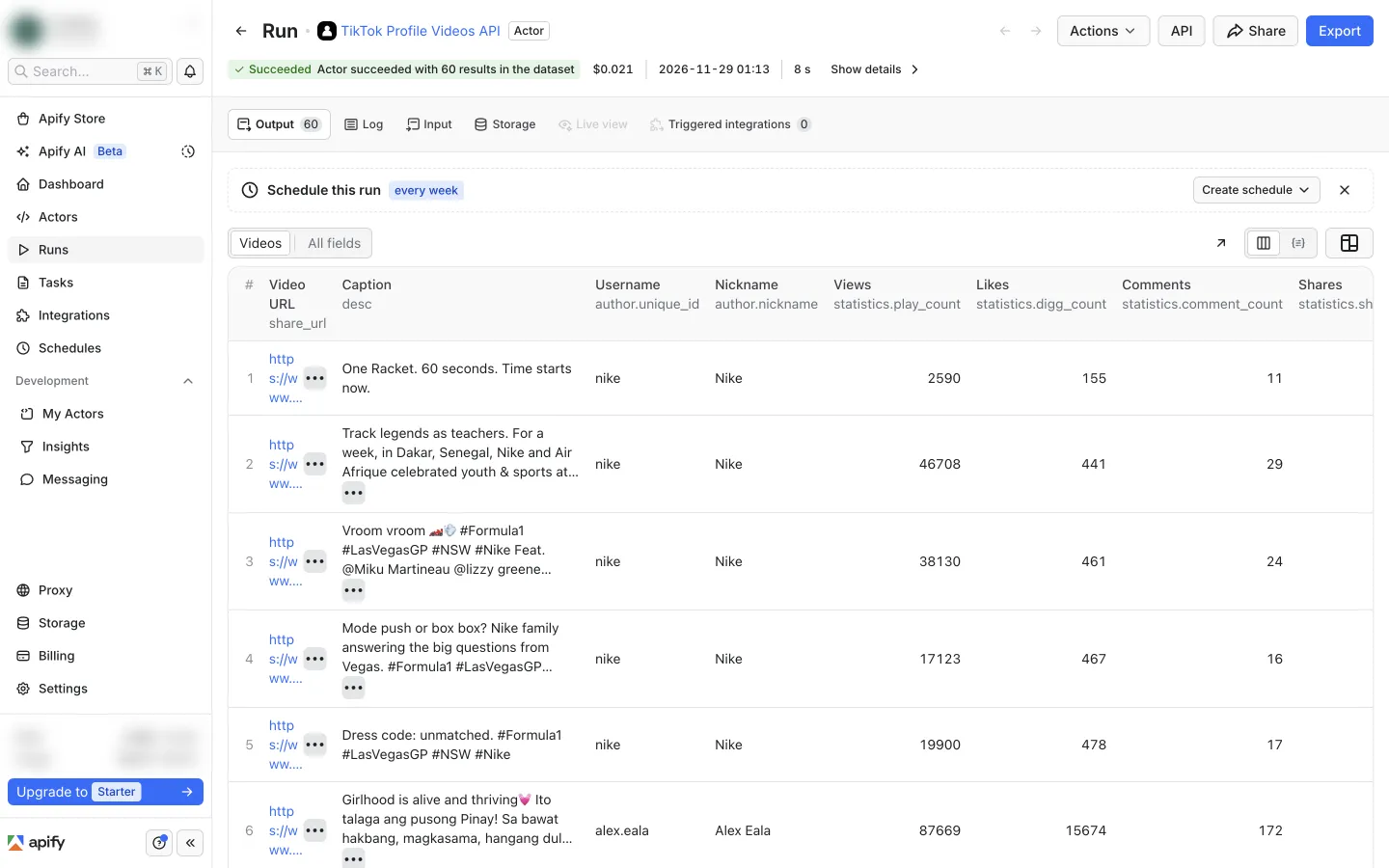
Click Save & start. My run finished in 8 seconds with 60 results and cost $0.021. The Output tab opens on the Videos view: video URL, caption, username, views, likes, comments, shares, saves, sound, region, creation time and video ID. Switch to All fields for the full TikTok object.
The most-viewed video in this run had 3.98 million plays. One row, shortened:
{
  "aweme_id": "7712154959768227085",
  "desc": "Track legends as teachers. For a week, in Dakar, Senegal, Nike and Air Afrique celebrated youth & sports at the Académie des Airs.",
  "create_time": 1795626015,
  "region": "US",
  "author": { "unique_id": "nike", "nickname": "Nike", "follower_count": 9455294 },
  "statistics": {
    "play_count": 46708,
    "digg_count": 441,
    "comment_count": 29,
    "share_count": 12,
    "collect_count": 26
  },
  "music": { "title": "original sound - nike", "author": "Nike" },
  "share_url": "https://www.tiktok.com/@nike/video/7712154959768227085",
  "video": { "duration": 39893, "play_addr": { "url_list": ["https://..."] } }
}
create_time is a Unix timestamp in seconds, and video.duration is in milliseconds.
Step 5: Export to CSV, Excel or JSON
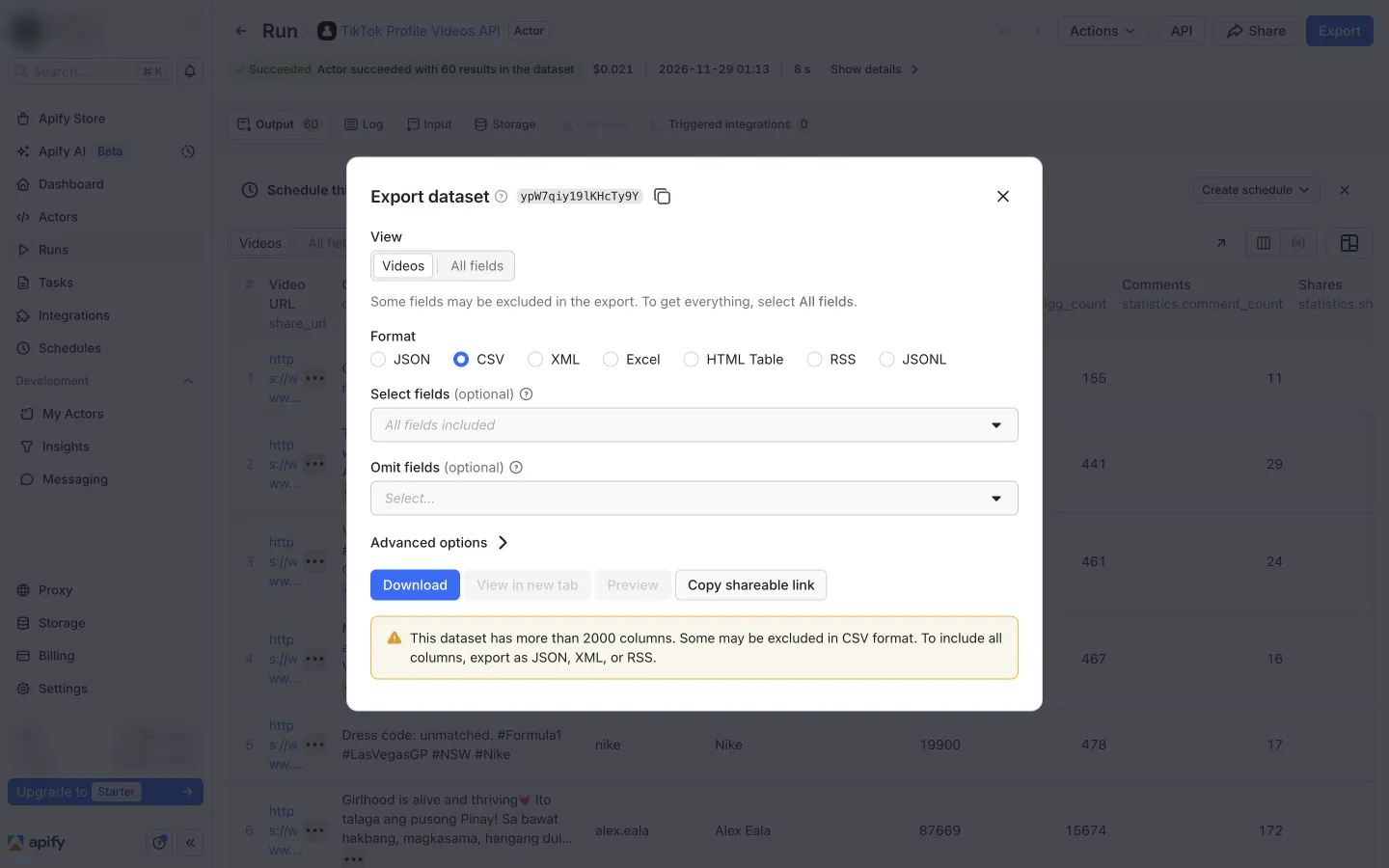
Click Export, pick a format (JSON, CSV, XML, Excel, HTML Table, RSS or JSONL) and download. The Videos view gives you a compact spreadsheet. The full objects have hundreds of nested fields, so for everything use JSON or JSONL rather than CSV.
Step 6: Or call it as a live API (server mode)
The Actor also runs as an HTTP server. The Server tab shows its URL and the GET /posts endpoint. You don’t start a run first: send a request, get JSON back.
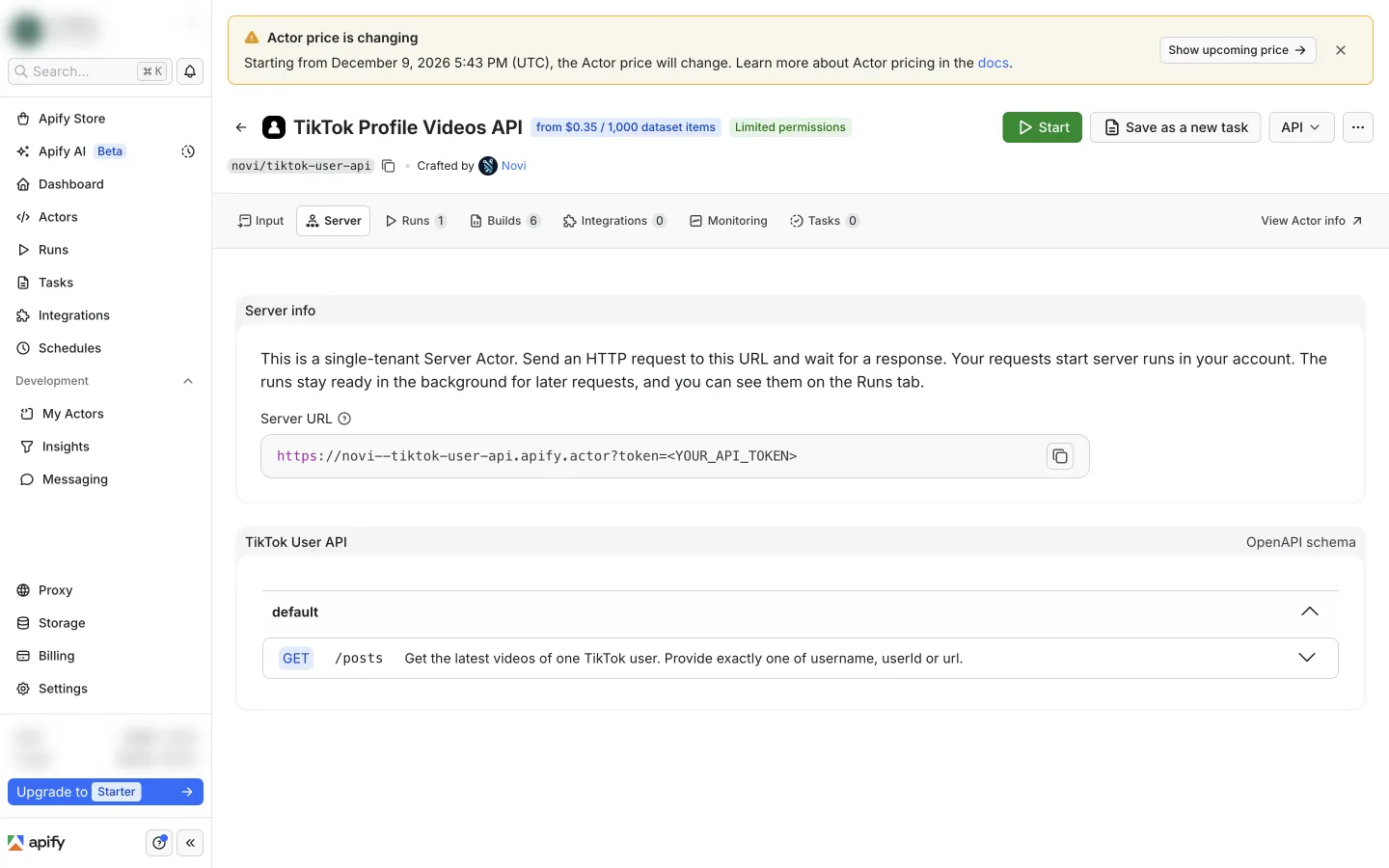
curl "https://novi--tiktok-user-api.apify.actor/posts?username=nike&limit=20" \
-H "Authorization: Bearer YOUR_APIFY_TOKEN"- Provide exactly one of
username,userIdorurl. limitis 2 to 100 (default 20).- The response holds the same video objects as the dataset. Results aren’t stored in a dataset, and you pay per returned video.
For many profiles or bigger limits, use a normal run.
Run it from code
Get your API token from Settings > API & Integrations in Apify Console, then use the official client.
Python (pip install apify-client):
from apify_client import ApifyClient

client = ApifyClient("YOUR_APIFY_TOKEN")

run = client.actor("novi/tiktok-user-api").call(run_input={
    "usernames": ["nike", "espn"],
    "limit": 50,
})

for video in client.dataset(run["defaultDatasetId"]).iterate_items():
    stats = video["statistics"]
    print(video["author"]["unique_id"], stats["play_count"], stats["digg_count"])
Node.js (npm install apify-client):
import { ApifyClient } from 'apify-client';

const client = new ApifyClient({ token: 'YOUR_APIFY_TOKEN' });
const run = await client.actor('novi/tiktok-user-api').call({
    urls: ['https://www.tiktok.com/@natgeo'],
    limit: 50,
});
const { items } = await client.dataset(run.defaultDatasetId).listItems();
console.log(items.length, 'videos');
To follow accounts over time, save the input as a Task and add a Schedule, for example every morning. The Integrations tab can send each run’s results to Google Sheets, Slack, Make, Zapier or n8n.
Pricing
You pay per result, with no subscription:
| Event | Free plan | Paid plans |
|---|---|---|
| Each video | $0.35 per 1,000 | down to $0.30 per 1,000 |
| Each profile (user query) | $0.001 | down to $0.0008 |
| Actor start | $0.00005 per run | same |
Set Maximum cost per run under Run options if you want a hard spending cap.
Tips
- Put all your profiles in one run. They’re scraped in parallel, and you get one dataset to export.
- Collab posts can show up in a feed. In my run, 5 of the 20 videos from
nikehad another account asauthor. Filter onauthor.unique_idif you only want posts the account published itself. - Video links expire. Download the files you need soon after the run.
- User IDs are strings. Pass
"6714563164218679553"in quotes, not as a number.
FAQ
Do I need a TikTok account or cookies? No. The Actor only reads public data.
Can it scrape private accounts? No. Only public profiles return videos.
How many videos per profile? Set limit per profile. The Actor pages through the feed until it reaches it or the profile runs out of videos.
Does it get comments? No, this Actor returns the videos of a profile. For comments, use TikTok Comment API.
Ready to try it? Open TikTok Profile Videos API on Apify. A first run like the one above costs about two cents.