
How to Scrape TikTok Search Results by Keyword, Country & Date: Advanced Search TikTok API Tutorial
Advanced Search TikTok API searches TikTok by keyword and returns structured video rows with views, likes, comments, shares, saves, creator info, music metadata, and watermark-free MP4 links. You can target specific countries, filter by publish window, sort by most liked or most recent, and run everything without a TikTok login or proxies.
For this walkthrough I ran two keywords (skincare routine and ai tools) in the US region, filtered to This week and sorted by Most liked, with a limit of 30 videos per keyword. It returned 60 videos in 7 seconds for $0.024 on the Apify free plan. Here is the full workflow in under two minutes:
Below are the same steps with screenshots from the run.
What you can search and filter
| Option | Example | What it controls |
|---|---|---|
keywords |
["skincare routine", "ai tools"] |
One or more search phrases scraped in parallel |
limit |
30 |
Soft cap per keyword (minimum 30) |
isUnlimited |
false |
Paginate through all available results instead of stopping at limit |
region |
"US" |
Two-letter country code (240+ countries supported) |
sortType |
1 |
0 Relevance, 1 Most liked, 2 Most recent |
publishTime |
"WEEK" |
ALL_TIME, YESTERDAY, WEEK, MONTH, THREE_MONTH, SIX_MONTH |
includeSearchTerms |
true |
Attaches __search_terms (keyword, sort_type, publish_time, region) to every row |
fetchUserBio |
false |
Optional extra lookup adding author.bio per unique creator |
Each row includes aweme_id, share_url, desc, create_time, region, statistics, author, music, cha_list, text_extra, is_ads, and direct playable video URLs under video.play_addr.url_list.
Step 1: Open the Actor and click “Try for free”
Open Advanced Search TikTok API on Apify and click Try for free. If you’re new to Apify, create a free account first — the free plan includes $5 of monthly credit.
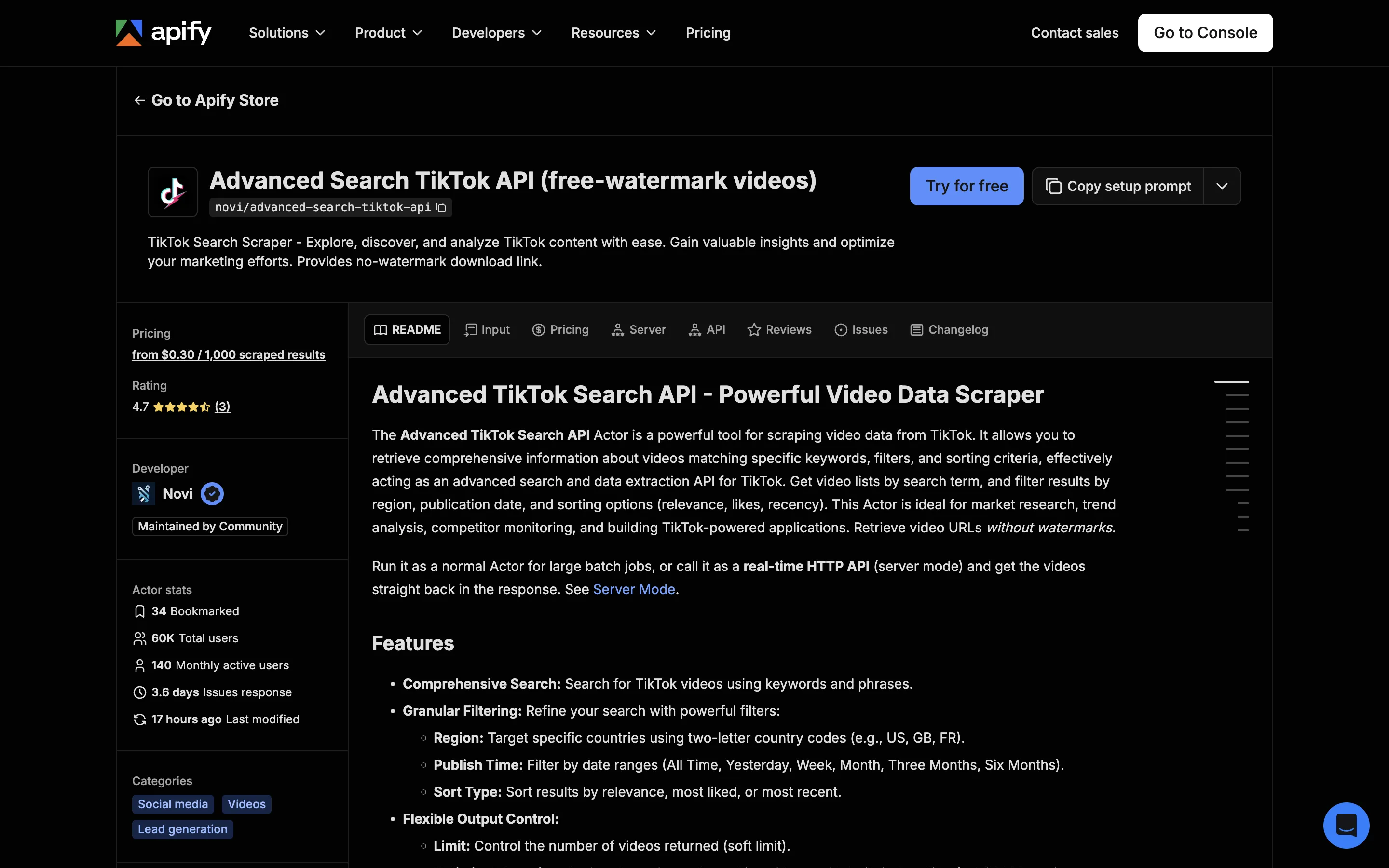
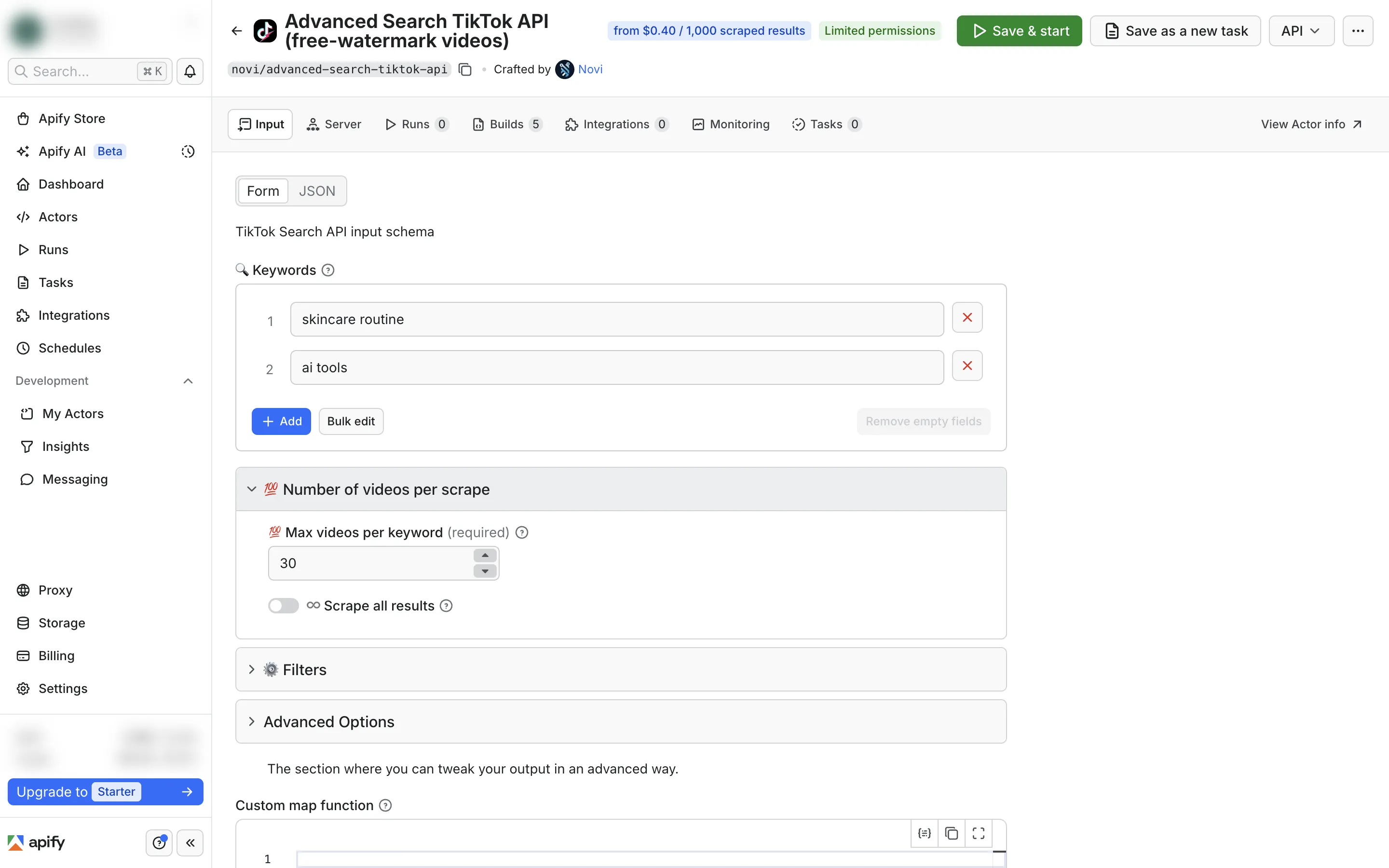
Step 2: Add keywords and set the video limit
Under Keywords, add one search phrase per line (spaces are fine) or click Bulk edit to paste a list. Then open Number of videos per scrape and set Max videos per keyword (30 minimum). To keep paging past the limit until TikTok stops returning results, toggle Scrape all results.
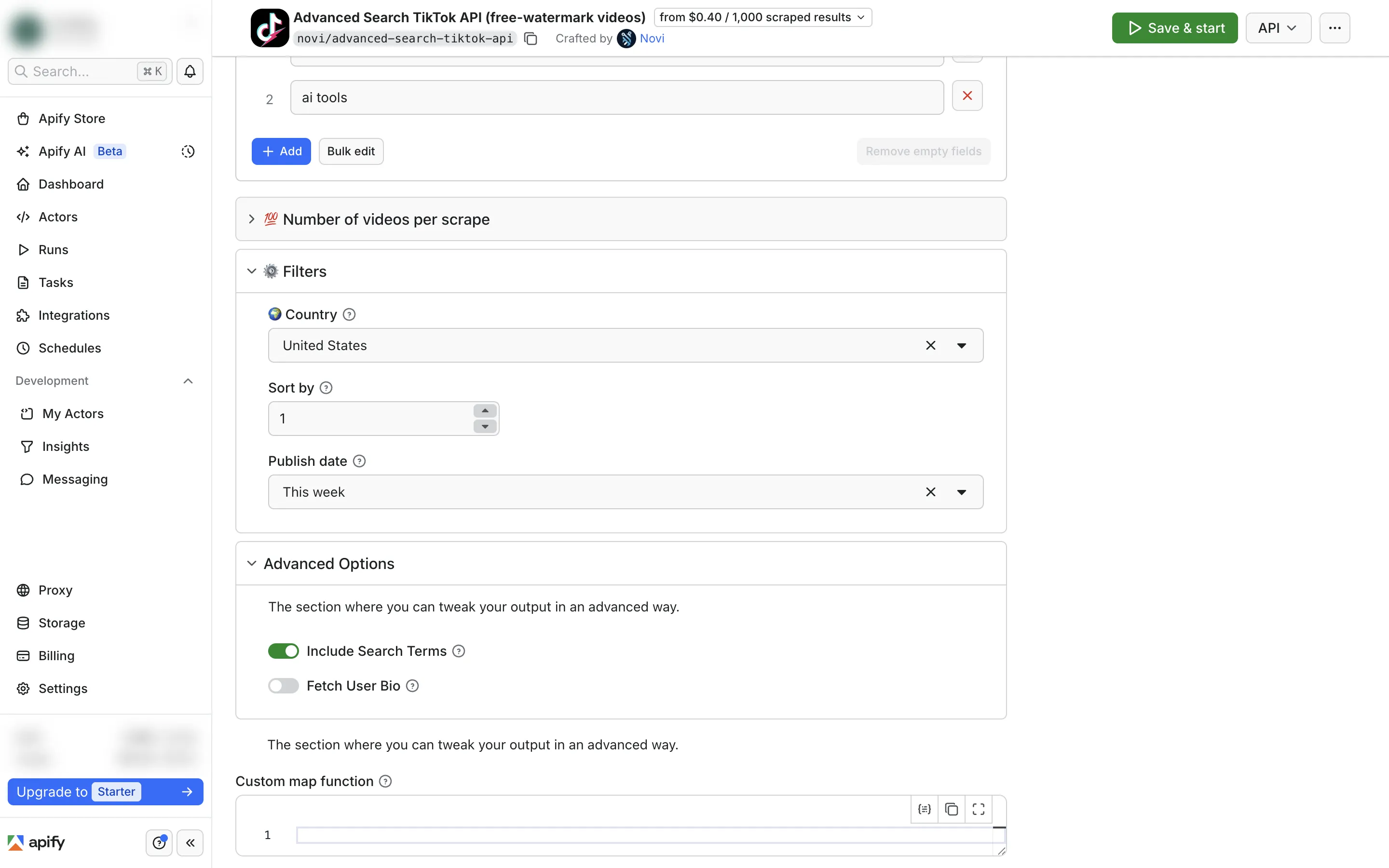
Step 3: Pick country, sort order, and publish date
Open Filters to narrow your search:
- Country: choose any supported country (e.g.
United States/US). - Sort by:
0for Relevance,1for Most liked,2for Most recent. - Publish date:
All time,Yesterday,This week,This month,Last 3 months, orLast 6 months.
Under Advanced Options, enable Include Search Terms when scraping multiple keywords in one run so every output row records which keyword matched it.
The same configuration in the JSON tab:
{
  "keywords": ["skincare routine", "ai tools"],
  "limit": 30,
  "isUnlimited": false,
  "region": "US",
  "sortType": 1,
  "publishTime": "WEEK",
  "includeSearchTerms": true
}
Step 4: Run it and inspect the dataset
Click Save & start. My run finished in 7 seconds with 60 results (30 per keyword) and cost $0.024. The Output tab opens on the Videos table showing Video URL, Caption, Username, Nickname, Views, Likes, Comments, Shares, Saves, Sound, Region, Created timestamp, and Video ID. Switch to All fields for the complete TikTok payload.
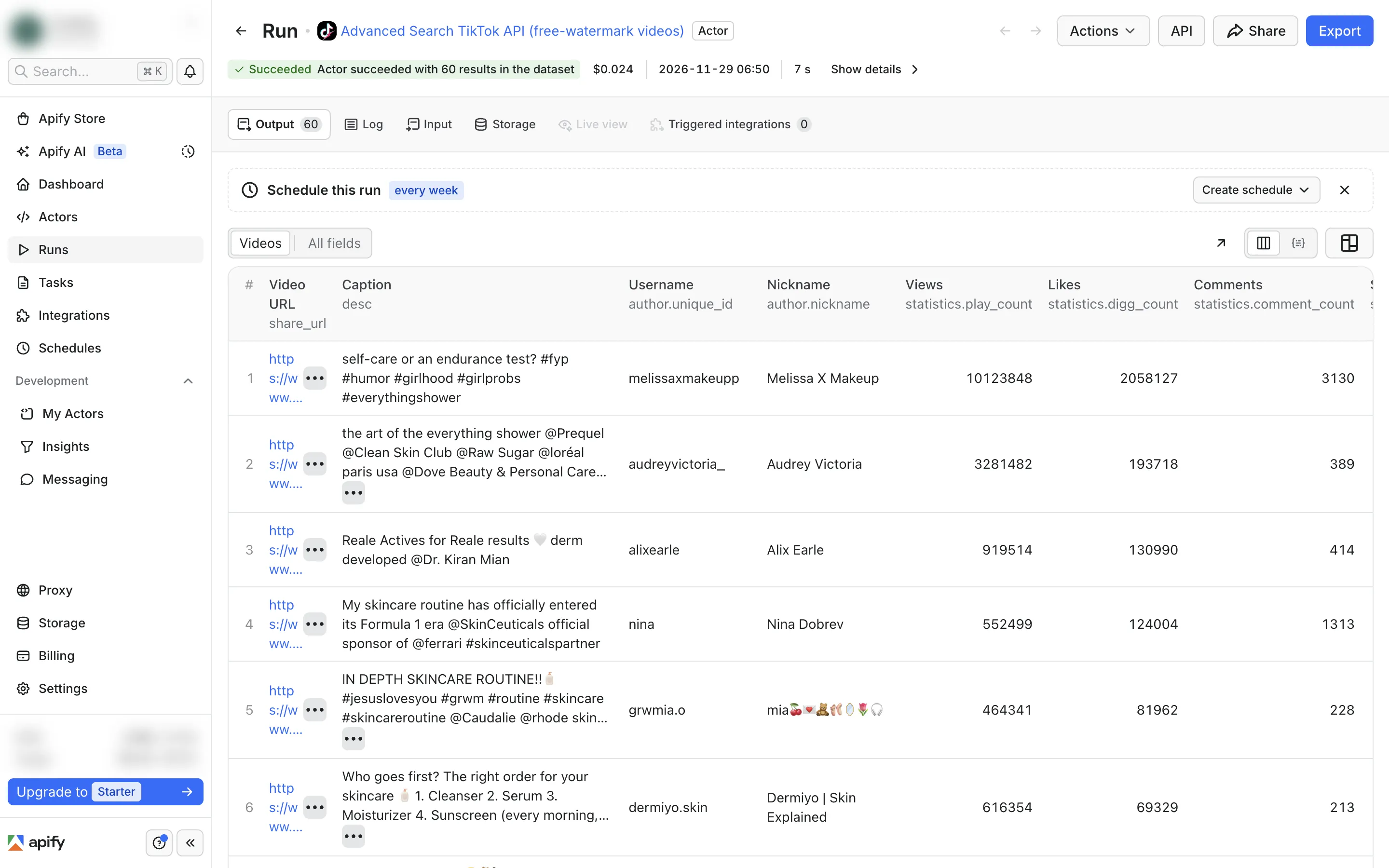
The top video in this sample (@melissaxmakeupp) had 10.1M views and 2.05M likes. One row, shortened:
{
  "aweme_id": "7711556684560321806",
  "desc": "self-care or an endurance test? #fyp #humor #girlhood #girlprobs #everythingshower ",
  "create_time": 1795486729,
  "region": "US",
  "author": { "unique_id": "melissaxmakeupp", "nickname": "Melissa X Makeup", "follower_count": 10588 },
  "statistics": {
    "play_count": 10123848,
    "digg_count": 2058127,
    "comment_count": 3130,
    "share_count": 159580,
    "collect_count": 87316
  },
  "music": { "title": "original sound - pieterjohnsen", "author": "PieterJohnsen" },
  "share_url": "https://www.tiktok.com/@melissaxmakeupp/video/7711556684560321806",
  "video": { "duration": 6083, "play_addr": { "url_list": ["https://..."] } },
  "__search_terms": { "keyword": "skincare routine", "sort_type": "Most liked", "publish_time": "WEEK", "region": "US" }
}
Step 5: Export to CSV, Excel, or JSON
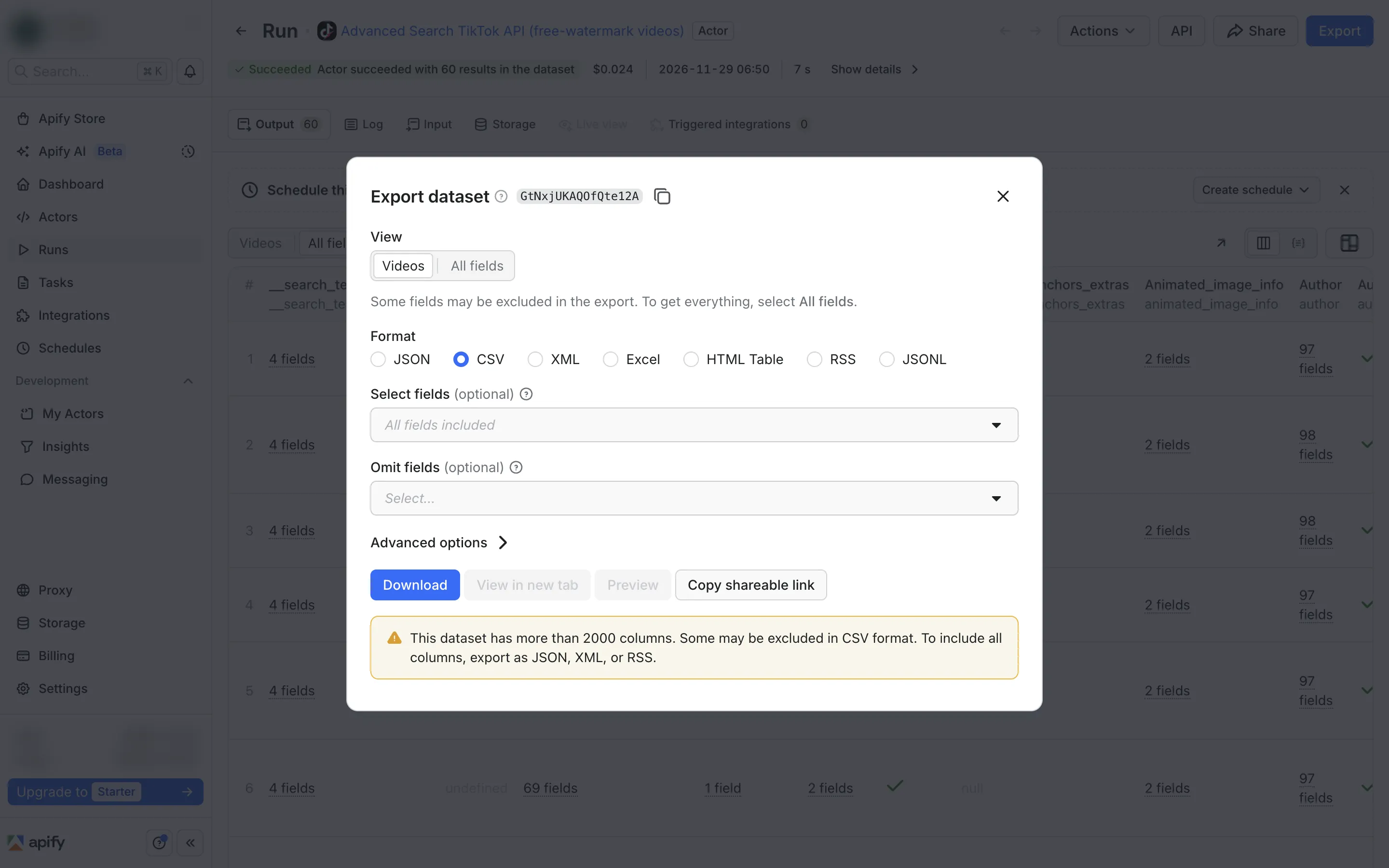
Click Export, select either the Videos view (recommended for spreadsheets) or All fields, choose a format (JSON, CSV, XML, Excel, HTML Table, RSS, or JSONL), and download or copy a shareable link.
Step 6: Or call it as a live HTTP API (Server mode)
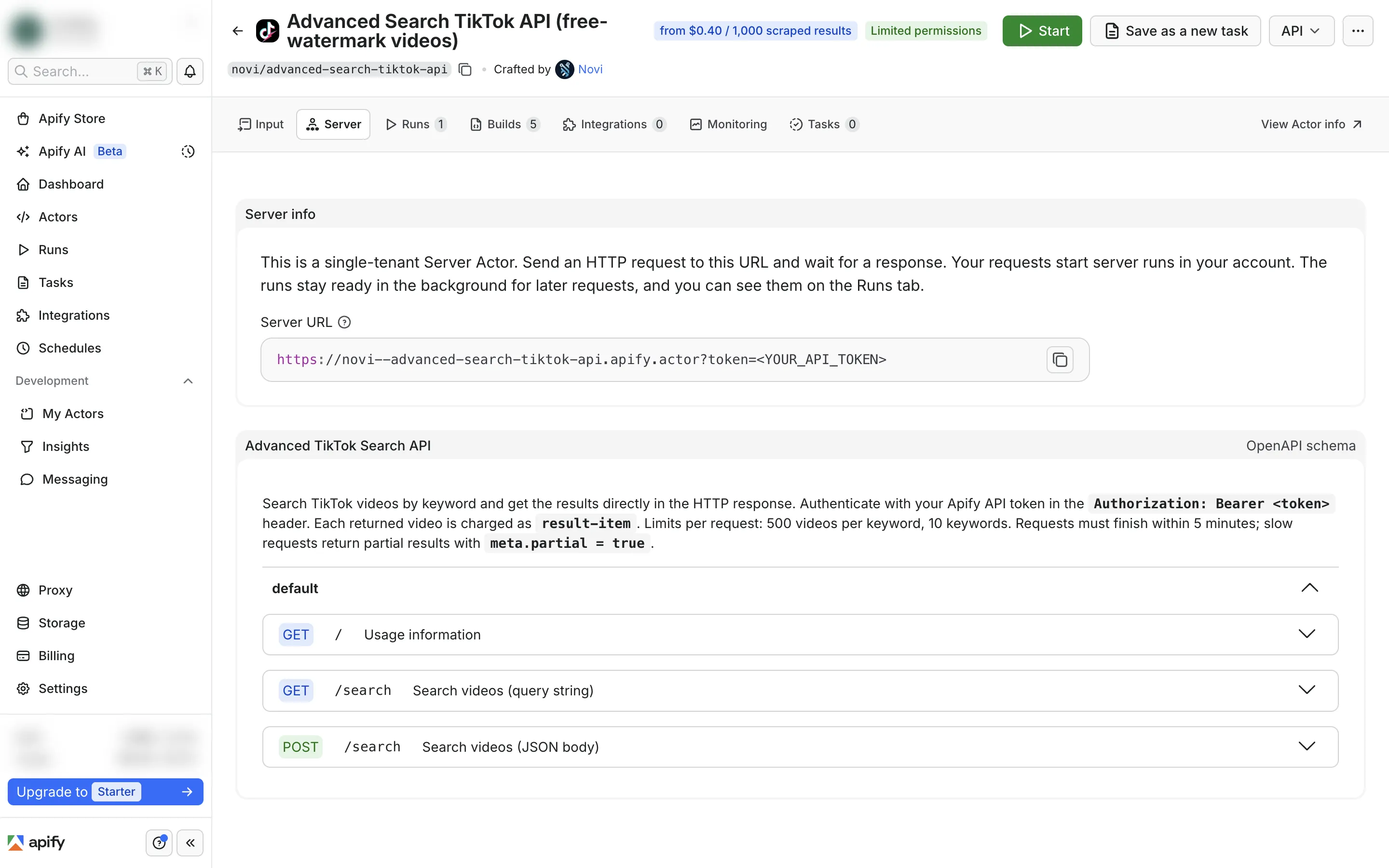
You can also query the Actor in real time without starting a batch run or polling a dataset. Open the Server tab to copy the server URL and inspect the OpenAPI schema (GET /search and POST /search).
curl -H "Authorization: Bearer YOUR_APIFY_TOKEN" \
"https://novi--advanced-search-tiktok-api.apify.actor/search?keyword=skincare%20routine&limit=30®ion=US&sortType=1&publishTime=WEEK"Or send a POST /search JSON request with multiple keywords:
curl -X POST -H "Authorization: Bearer YOUR_APIFY_TOKEN" -H "Content-Type: application/json" \
  -d '{"keywords":["skincare routine","ai tools"],"limit":30,"region":"US","sortType":1,"publishTime":"WEEK","includeSearchTerms":true}' \
  "https://novi--advanced-search-tiktok-api.apify.actor/search"
Server mode supports up to 500 videos per keyword and 10 keywords per request, with a 5-minute response limit (isUnlimited is batch-run only).
Run it from code
Grab your token under Settings > API & Integrations in Apify Console and call novi/advanced-search-tiktok-api with the official Apify client.
Python (pip install apify-client):
from apify_client import ApifyClient

client = ApifyClient("YOUR_APIFY_TOKEN")

run = client.actor("novi/advanced-search-tiktok-api").call(run_input={
    "keywords": ["skincare routine", "ai tools"],
    "limit": 30,
    "region": "US",
    "sortType": 1,
    "publishTime": "WEEK",
    "includeSearchTerms": True,
})

for video in client.dataset(run["defaultDatasetId"]).iterate_items():
    stats = video.get("statistics", {})
    print(video.get("author", {}).get("unique_id"), stats.get("play_count"), stats.get("digg_count"))
Node.js (npm install apify-client):
import { ApifyClient } from 'apify-client';

const client = new ApifyClient({ token: 'YOUR_APIFY_TOKEN' });
const run = await client.actor('novi/advanced-search-tiktok-api').call({
    keywords: ['skincare routine', 'ai tools'],
    limit: 30,
    region: 'US',
    sortType: 1,
    publishTime: 'WEEK',
    includeSearchTerms: true,
});
const { items } = await client.dataset(run.defaultDatasetId).listItems();
console.log(items.length, 'videos');
Pricing
You pay per event with no monthly subscription:
| Event | Free plan | Paid plans (up to Gold+) |
|---|---|---|
Scraped result (result-item) |
$0.40 per 1,000 videos | down to $0.30 per 1,000 videos |
Less-result query (< 30 videos returned) |
$0.0025 per query | down to $0.002 per query |
Optional author bio lookup (fetchUserBio: true) |
$0.006 per unique author | down to $0.005 per unique author |
| Actor start (512 MB default) | $0.00023 per run | down to $0.0002 per run |
Set Maximum cost per run under Run options to enforce a hard budget cap.
Tips
- Clear the legacy
keywordfield when editing in JSON. The form includes a legacy single-keyword field prefilled with"viral". If you only want yourkeywordsarray, paste JSON without"keyword"(or clear the legacy field at the bottom of the form). - Turn on
includeSearchTermsfor multi-keyword batches. Because keywords run in parallel,__search_terms.keywordmakes grouping results trivial in CSV or Python. - Download video files promptly. TikTok CDN video links in
video.play_addr.url_listexpire after a short time. - Keep spreads clean in CSV/Excel. Use the Videos view for exports; raw objects contain hundreds of nested fields, which work best in JSON or JSONL.
FAQ
Do I need a TikTok account or proxies? No. The Actor only fetches public TikTok search results with no login or proxy setup required.
What is the minimum limit per keyword? 30 videos per keyword (limit values below 30 are rounded up to 30).
Can I combine multiple filters at once? Yes. region, sortType, and publishTime can be combined in any run or Server mode query.
Does it scrape video comments or full profile feeds? No — this Actor focuses on search. Use TikTok Comment API for comments or TikTok Profile Videos API for full profile feeds.
Ready to run your first search? Try Advanced Search TikTok API free on Apify.